
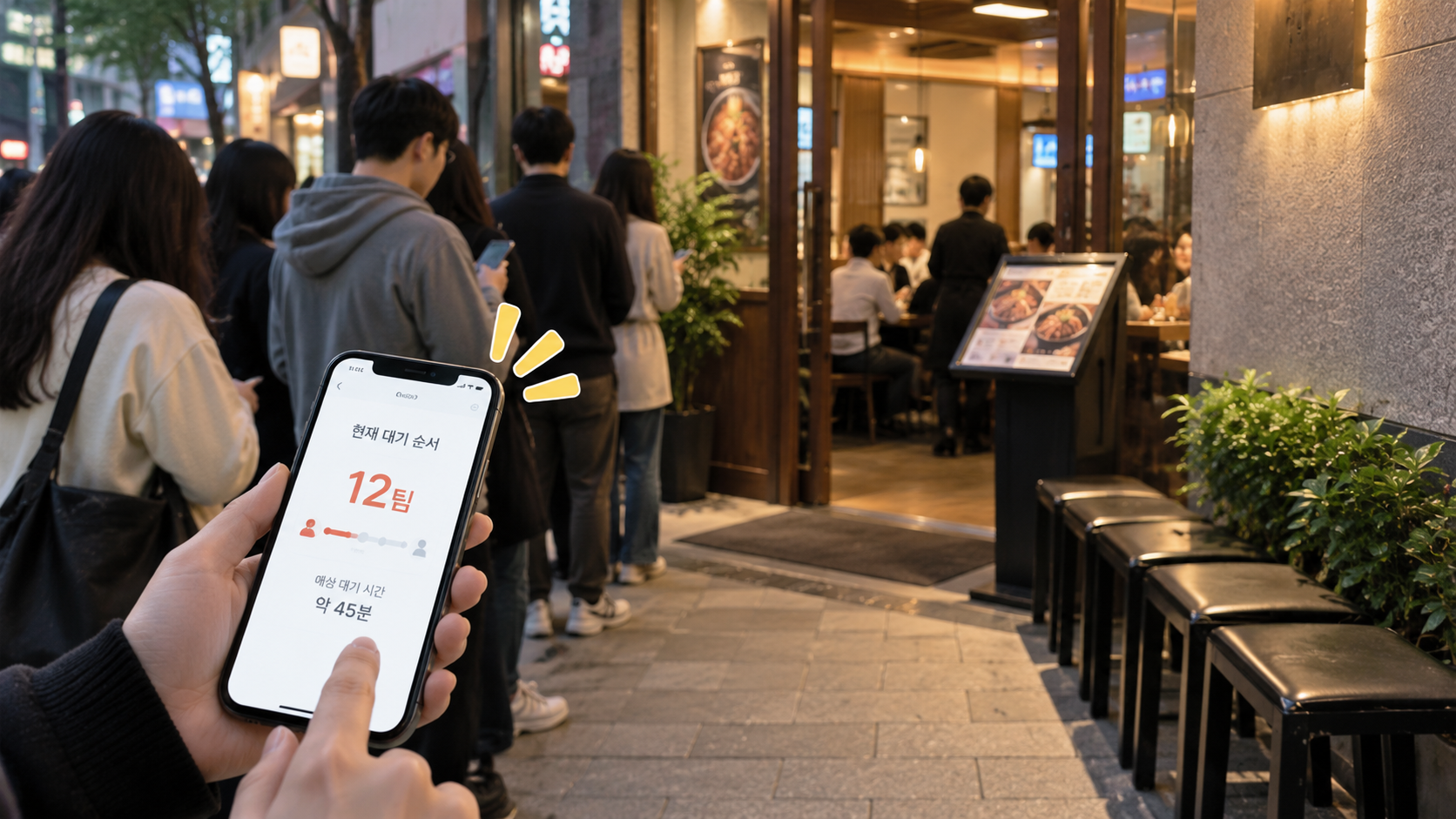
Have you ever arrived at a viral restaurant in Korea, only to be overwhelmed by the crowd and confused about how to get a table?
Dining in Korea is remarkably streamlined once you master mobile reservation platforms and on-site digital queue kiosks. Here is your step-by-step masterclass on how to book in advance and queue like a seasoned local.
1. 📅 Advance Reservations: Apps vs. Direct Calling
① Catchtable Open
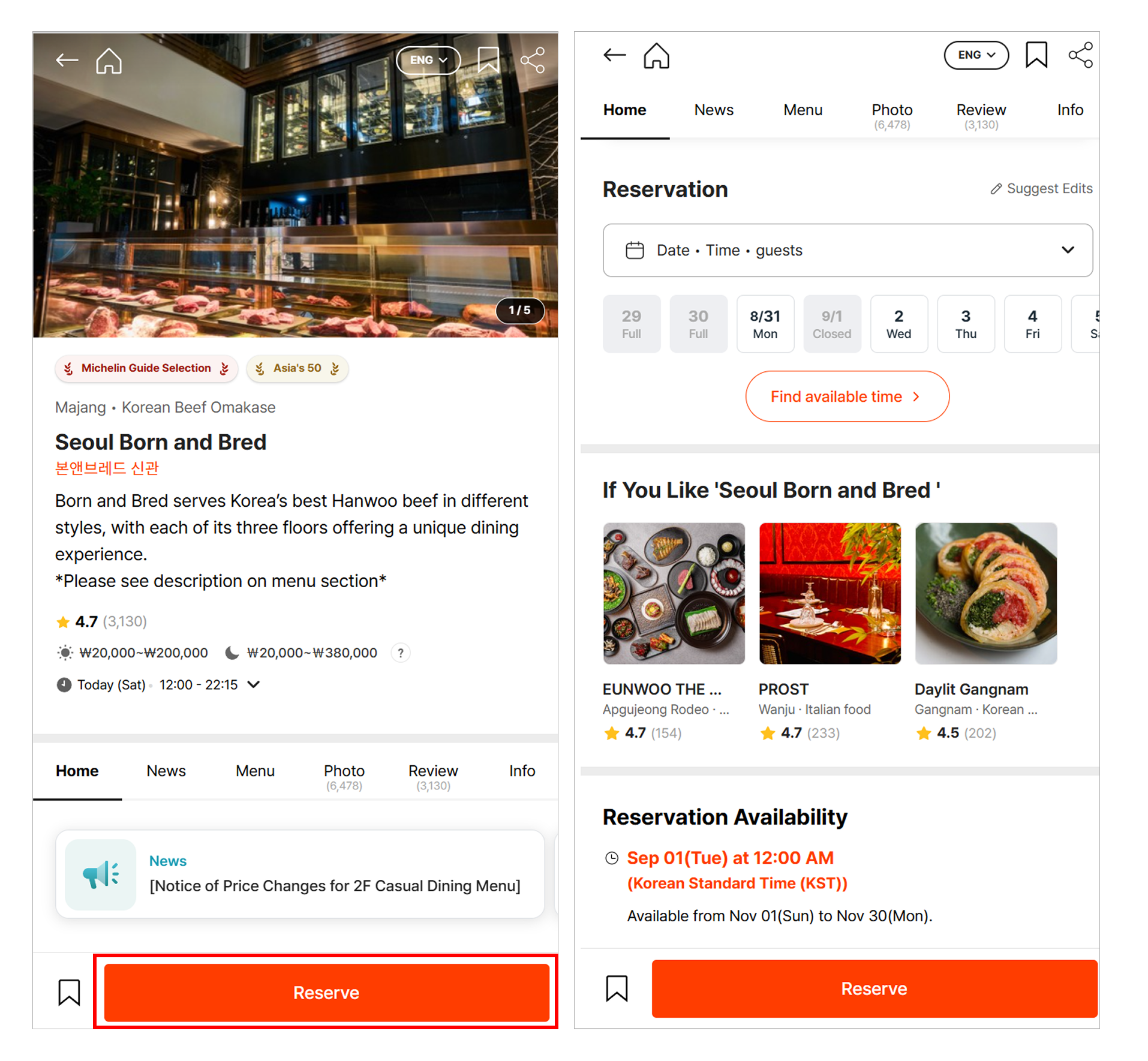
- Best for: Michelin-starred restaurants, omakase, fine dining, trendy hotspots, and upscale wine bars
Step-by-step:
- Download and sign up for Catchtable (We recommend Catchtable Global for foreigners, which supports full English and international credit card payments).
- Search for the restaurant, choose your date, time slot, and seating/course preferences.
- Pay the reservation deposit if required by the restaurant. (※ Note: Some venues do not require a deposit depending on restaurant policy).
- Once your confirmation message arrives via KakaoTalk or in-app notification, your booking is complete!
② Naver Booking (AndroidOpen, IOSOpen)
(Best for Casual Local Restaurants, K-BBQ & Cafes)
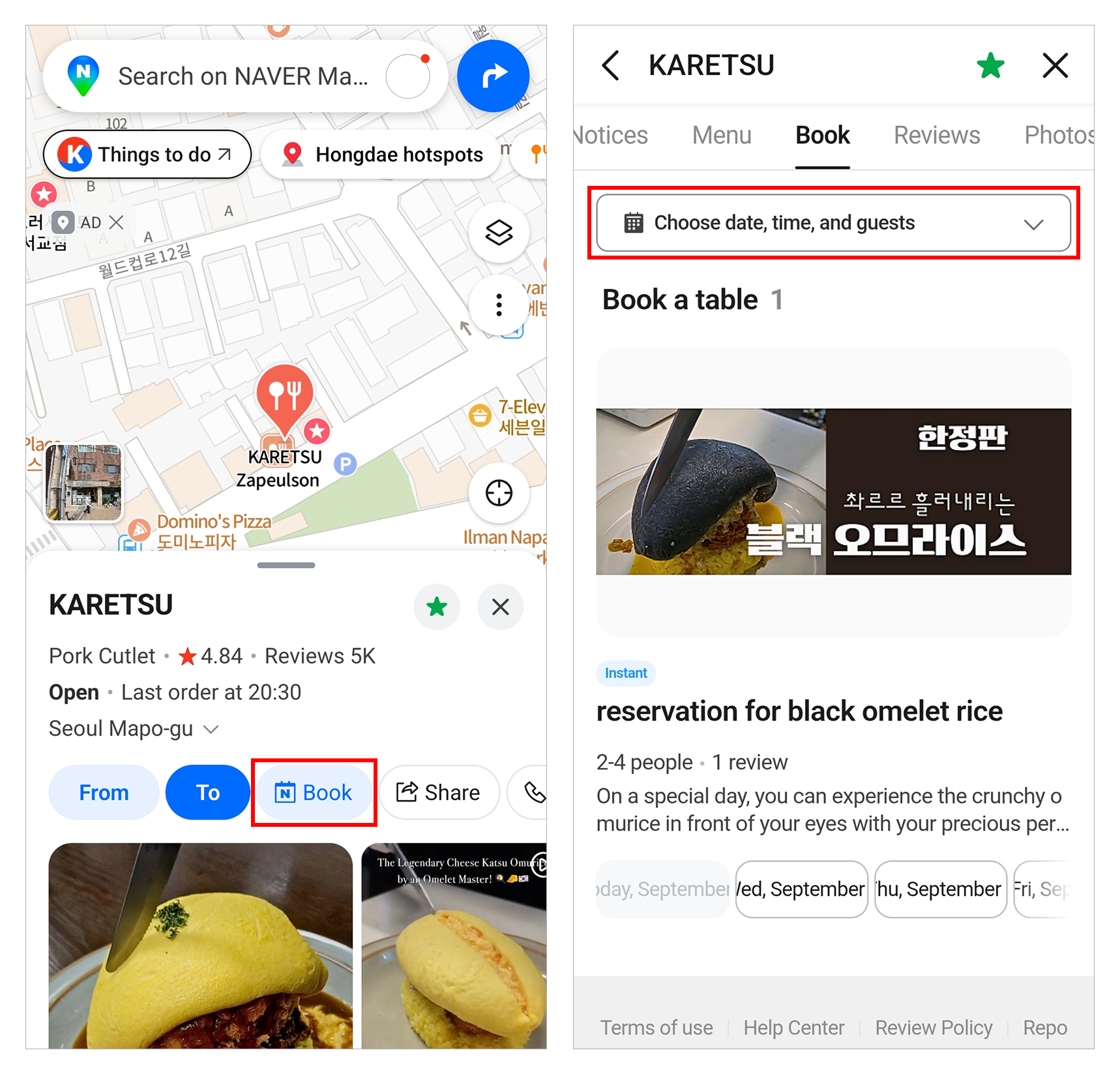
- Best for: Popular local restaurants, Korean BBQ spots, casual family eateries, franchise chains, and cafes
- Step-by-step:
- Search for the restaurant and click the green [예약 / Booking] button to proceed with your booking.
- After completing the reservation, you will receive a confirmation push notification or SMS.
- ⚠️ Important Notice: Not every restaurant supports Naver Booking. If there is no [예약] button on the restaurant page, it means online booking is not available for that restaurant, so please note that you must call directly or visit in person.
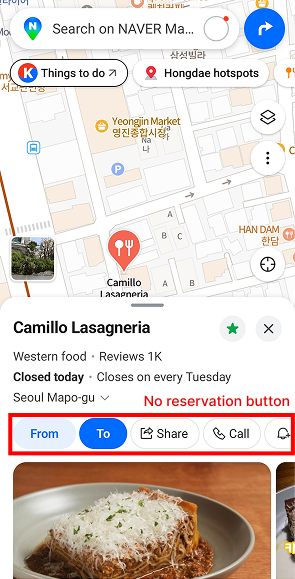
③ Calling Directly (Best for Traditional Spots & Last-Minute Bookings)
- Step 1: Tap the call button on Naver Map or KakaoMap.
If a restaurant isn't listed on booking apps, a quick phone call is the fastest way:
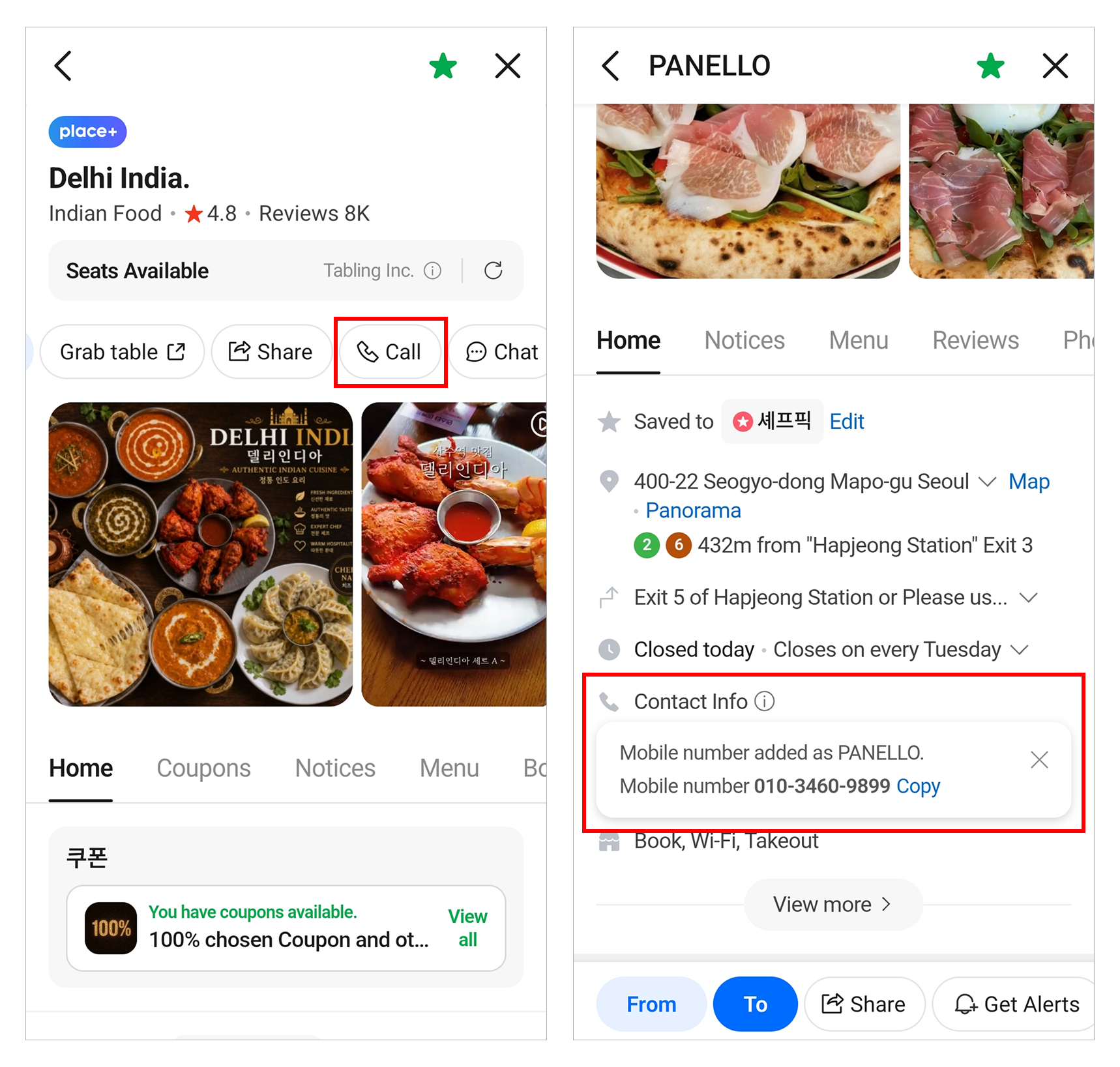
- Step 2: Provide these 4 details:
- Date & Time: "Oneul/Naeil jeonyeok 7-si" (Today/Tomorrow at 7 PM)
- Party Size: "[Number] myeong" (e.g., Du-myeong = 2 people, Se-myeong = 3 people)
- Name & Phone Number
- Magic Phrase: "Annyeonghaseyo, [Date/Time]-e [Party size] ye-yak ganeunghangayo?" (Hello, can I make a reservation for X people at X time?)
+ Real-Life Calling Script & Pronunciation:
- You: "Annyeonghaseyo, oneul jeonyeok ilgop-si-e se-myeong ye-yak ganeunghangayo?"
(Hello, can I make a reservation for 3 people tonight at 7 PM?)
- Staff: "Ne, ganeunghapnida. Seonghamgwa yeollakcheoga eotteohge doesinayo?"
(Yes, it's available. May I have your name and phone number?)
- You: "Ireumeun [Your Name]-igo, beonhoneun 010-XXXX-XXXX imnida."
(My name is [Name], and my phone number is 010-XXXX-XXXX.)
- Staff: "Ne, yeyak wanryo doesseumnida. Sigan matchwoseo oseyo."
(Got it, your reservation is complete. See you then.)
- ⚠️ Pro Safety Tip: Phone bookings at busy local eateries can occasionally get misplaced. We highly recommend calling the restaurant a few hours before your visit to double-check ("Oneul 7-si [Your Name] yeyak doeeoinnnayo?" - Is the reservation for [Name] at 7 PM confirmed?).
2. ⏳ On-Site Digital Waitlists & Smart Queuing
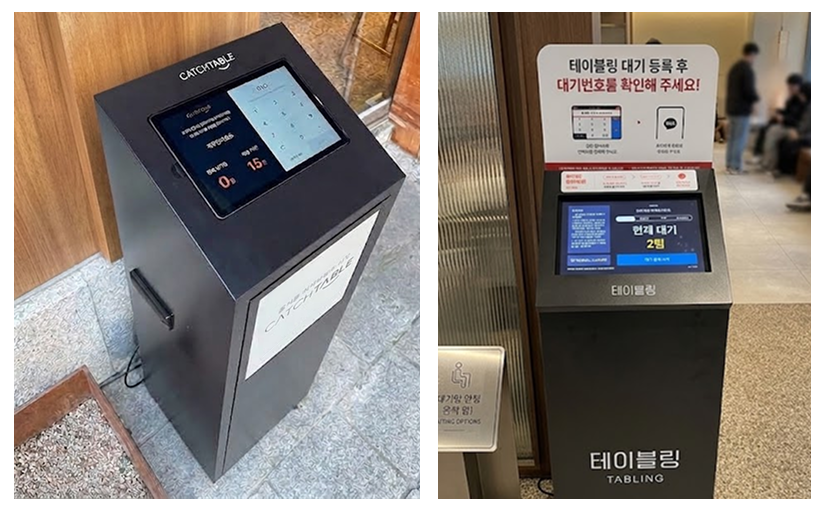
① The On-Site Tablet Kiosk (Most Common)
- Step 1: Tap the screen on the tablet stand at the restaurant entrance. Enter your phone number and number of guests.
- Step 2: You'll receive a KakaoTalk or SMS alert: "You are Nth in line."
- Step 3: Don't stand in line! Go relax at a nearby cafe or shop. You will receive a "Please enter now" notification when your table is ready.
- ⚠️ Important Note: You must enter within 3–5 minutes of the call notification, or your spot may be automatically canceled. Head back when there are only 2–3 parties ahead of you.
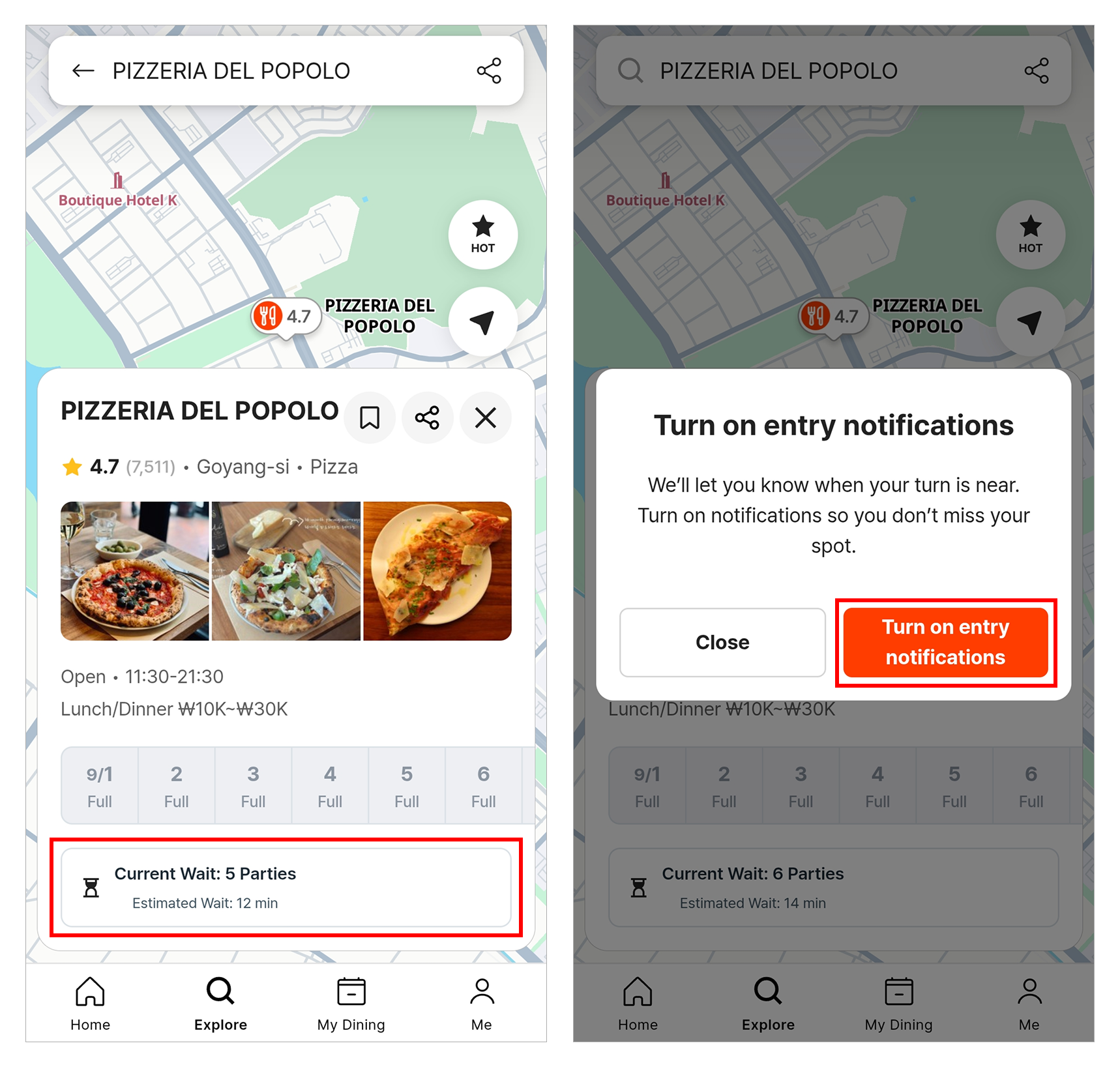
② Remote Queuing via Apps (Catchtable)
- Search the restaurant on Catchtable and tap [Remote Waitlist / 원격 줄서기] before reaching the venue. (Some spots may require entering a physical 2-digit confirmation code displayed on the on-site kiosk upon arrival).
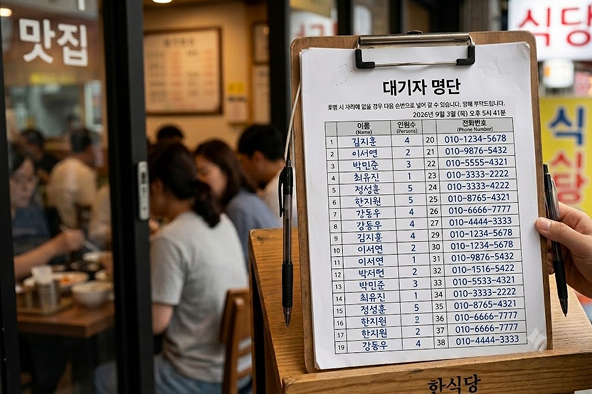
③ Paper Sign-ups & Traditional Lines
- Paper Clipboards: Write your Name, Party Size, and Phone Number on the clipboard hanging near the door and wait nearby.
- Physical Lines: If there is no machine or clipboard, simply queue up behind the person in front of you.
💡 Solo Survival Vocab & Phrase Decoder
| Korean Expression | Pronunciation | English Meaning | When to Use |
| 예약하고 싶은데요 | Ye-yak-ha-go sip-eun-de-yo | I'd like to make a reservation | Starting a reservation over the phone |
| 몇 명이에요? | Myeot myeong-i-e-yo? | How many people? | When staff ask for your party size |
| 웨이팅 얼마나 걸려요? | Waiting eol-ma-na geol-lyeo-yo? | How long is the wait? | Asking for estimated wait time |
| 순서 다 됐나요? | Sun-seo da dwaen-na-yo? | Is it our turn yet? | Checking with staff after getting called |
Bapsim is Here for Your Journey in Korea
Don't let long crowds intimidate you when dining in Korea! These handy digital tools will save your precious travel time and make your foodie adventures effortless. Step inside with confidence, and enjoy every delicious meal!